
Menu
×
   ❮     
HTML CSS JAVASCRIPT SQL PYTHON JAVA PHP HOW TO W3.CSS C C++ C# BOOTSTRAP REACT MYSQL JQUERY EXCEL XML DJANGO NUMPY PANDAS NODEJS DSA TYPESCRIPT ANGULAR ANGULARJS GIT POSTGRESQL MONGODB ASP AI R GO KOTLIN SWIFT SASS VUE GEN AI SCIPY AWS CYBERSECURITY DATA SCIENCE INTRO TO PROGRAMMING INTRO TO HTML & CSS BASH RUST TOOLS

CSS Tutorial

CSS HOME CSS Introduction CSS Syntax CSS Selectors CSS How To CSS Comments CSS Errors CSS Colors CSS Backgrounds CSS Borders CSS Margins CSS Padding CSS Height / Width CSS Box Model CSS Outline CSS Text CSS Fonts CSS Icons CSS Links CSS Lists CSS Tables CSS Display CSS Max-width CSS Position CSS Position Offsets CSS Z-index CSS Overflow CSS Float CSS Inline-block CSS Align CSS Combinators CSS Pseudo-classes CSS Pseudo-elements CSS Opacity CSS Navigation Bars CSS Dropdowns CSS Image Gallery CSS Image Sprites CSS Attribute Selectors CSS Forms CSS Counters CSS Units CSS Inheritance CSS Specificity CSS !important CSS Math Functions CSS Optimization CSS Accessibility CSS Website Layout

CSS Advanced

CSS Rounded Corners CSS Border Images CSS Backgrounds CSS Colors CSS Gradients CSS Shadows CSS Text Effects CSS Custom Fonts CSS 2D Transforms CSS 3D Transforms CSS Transitions CSS Animations CSS Tooltips CSS Image Styling CSS Image Modal CSS Image Centering CSS Image Filters CSS Image Shapes CSS object-fit CSS object-position CSS Masking CSS Buttons CSS Pagination CSS Multiple Columns CSS User Interface CSS Variables CSS @property CSS Box Sizing CSS Media Queries

CSS Flexbox

Flexbox Intro Flex Container Flex Items Flex Responsive

CSS Grid

Grid Intro Grid Container Grid Items Grid 12-column Layout CSS @supports

CSS Responsive

RWD Intro RWD Viewport RWD Grid View RWD Media Queries RWD Images RWD Videos RWD Frameworks RWD Templates

CSS Cert

CSS Certificate

CSS SASS

SASS Tutorial

CSS Examples

CSS Templates CSS Examples CSS Editor CSS Snippets CSS Quiz CSS Exercises CSS Code Challenges CSS Website CSS Syllabus CSS Study Plan CSS Interview Prep CSS Bootcamp

CSS References

CSS Reference CSS Selectors CSS Combinators CSS Pseudo-classes CSS Pseudo-elements CSS At-rules CSS Functions CSS Reference Aural CSS Web Safe Fonts CSS Animatable CSS Units CSS PX-EM Converter CSS Colors CSS Color Values CSS Default Values CSS Browser Support

W3Schools CSS Certificate


CSS Certification

Get Certified in CSS

Prepare online at your own pace, take the exam when you are ready, and add a verified credential to your CV, LinkedIn profile, and portfolio.

Designed for students, developers, and professionals who want a practical way to document their knowledge.
Online exam. No expiration. Shareable verification link.
CSS Certificate


Why Get Certified?

Any student or professional working in digital fields can benefit from documenting their skills with a certificate.

Certifications help demonstrate knowledge to current or future employers, clients, and collaborators in an increasingly competitive market.

Trusted Learning Platform

W3Schools has more than two decades of experience teaching coding online.

Our certificates provide a practical and professional way to show your skills in a format that is easy to verify and share.

Affordable and Flexible

The price is a small fraction of the cost of traditional education.

You can prepare on your own schedule and take the exam when you are ready.

Get Your Certificate and Share It

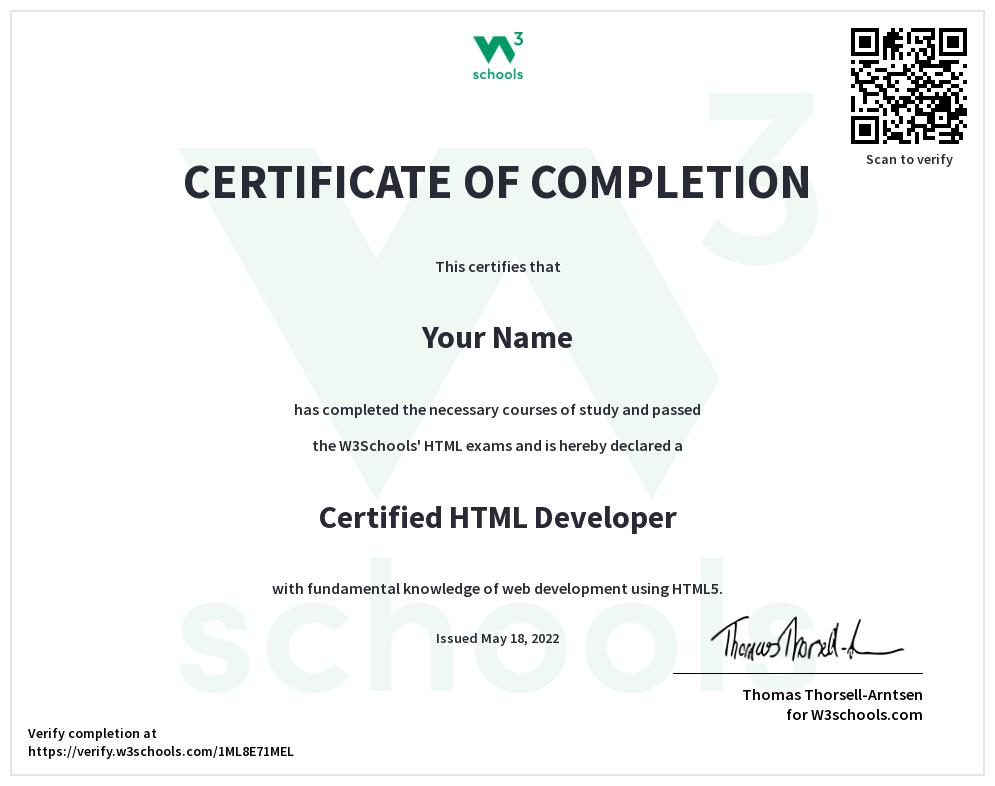
Each certificate includes a unique verification link that can be shared with employers, clients, and your network.

Download your certificate to showcase it, and validate it using the unique link or QR code.

See how it looks in this example.

CSS Certificate

Exam Overview

Fee
95 USD
Achievable certification levels
Intermediate (40%)
Advanced (75%)
Professional (90%)
Number of questions
Adaptive, 60 on average
Requirement to pass
Minimum 40% - Intermediate level
Time limit
60 minutes
Number of attempts
3
Exam deadline
None
Certification expiration
None
Format
Online, multiple choice

Have any questions? Send us an e-mail: sales@w3schools.com


Advance Faster in Your Career

Getting a certificate shows your commitment to improving your skills.

You can add the certificate to your CV, resume, LinkedIn profile, and other professional platforms.

It can help support career growth by making it easier to show your knowledge when applying for jobs, freelance work, or larger projects.

CSS Certificate

Document Your Knowledge Today!

How It Works

01
Study CSS for free at W3Schools.com
02
Learn at your own speed and focus on the topics you need most
03
Practice with quizzes and exercises
04
Apply by paying the exam fee
05
Take the exam online at any time and from any location

Document Your Skills

Getting a certificate shows initiative, helps you build credibility, and gives you a professional way to present your CSS knowledge.

Looking to Add Multiple Users?

Are you an educator, manager, or business owner looking for courses or certifications for a group?

We work with schools, companies, and organizations around the world.

Send us an e-mail: sales@w3schools.com


×

Contact Sales

If you want to use W3Schools services as an educational institution, team or enterprise, send us an e-mail:
sales@w3schools.com

Report Error

If you want to report an error, or if you want to make a suggestion, send us an e-mail:
help@w3schools.com

W3Schools is optimized for learning and training. Examples might be simplified to improve reading and learning. Tutorials, references, and examples are constantly reviewed to avoid errors, but we cannot warrant full correctness of all content. While using W3Schools, you agree to have read and accepted our terms of use, cookies and privacy policy.

Copyright 1999-2026 by Refsnes Data. All Rights Reserved. W3Schools is Powered by W3.CSS.

-->