
W3.CSS Text
W3.CSS Text Classes
W3.CSS provides simple classes for aligning and styling text.
Text classes can be combined with colors, fonts, sizes, and other W3.CSS classes.
Text Alignment
Use W3.CSS alignment classes to position text inside an element.
| Class | Description |
|---|---|
w3-left-align |
Aligns text to the left. |
w3-center |
Centers text. |
w3-right-align |
Aligns text to the right. |
Left aligned text.
Centered text.
Right aligned text.
Example
<p class="w3-left-align">Left aligned text.</p>
<p class="w3-center">Centered text.</p>
<p class="w3-right-align">Right aligned text.</p>
Try it Yourself »
Centering Content
The w3-center class can center more than text.
It can also center inline content such as images and buttons.
Centered Content
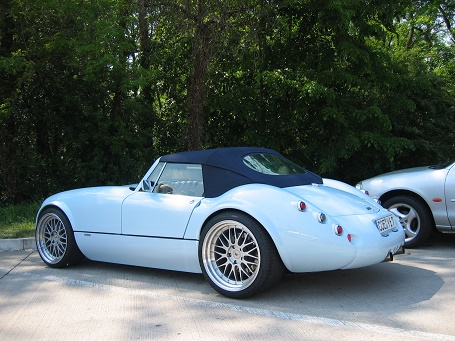
Some centered text.
Example
<div class="w3-container w3-center">
<h2>Centered Content</h2>
<img src="img_car.jpg" alt="Car" style="width:80%;max-width:320px">
<p>Some centered text.</p>
<button class="w3-button w3-black">Learn More</button>
</div>
Try it Yourself »
w3-center centers the content inside an element.
Wide Text
The w3-wide class increases the spacing between letters.
This is normal text.
This is wide text.
Wide text is useful for titles, labels, menus, and other short pieces of text.
Text Opacity
The w3-opacity class makes an element partly transparent.
It can be used to make text less prominent.
Main Heading
Normal text.
Less important text.
Example
<h2>Main Heading</h2>
<p>Normal text.</p>
<p class="w3-opacity">Less important text.</p>
Try it Yourself »
Combine Text Classes
Text classes can be combined with font, size, and color classes.
TRAVEL
Explore the world.
New destinations every week.
Example
<h2 class="w3-center w3-wide w3-text-blue">TRAVEL</h2>
<p class="w3-center w3-large">Explore the world.</p>
<p class="w3-center w3-opacity">New destinations every week.</p>
Try it Yourself »
Build a Hero Title
Text utilities are especially useful for headings and introductory content.
DISCOVER
Explore Norway
Mountains, fjords, cities, and northern lights.
Example
<div class="w3-container w3-black w3-center w3-padding-32">
<p class="w3-wide w3-opacity">DISCOVER</p>
<h1 class="w3-xxxlarge">Explore Norway</h1>
<p class="w3-large">Mountains, fjords, cities, and northern lights.</p>
<button class="w3-button w3-white">Start Exploring</button>
</div>
Try it Yourself »
Text Opacity with Colors
The w3-opacity class is designed to work with all colors:
Text Opacity
Text Opacity
Text Opacity
Example
<div class="w3-panel w3-pink">
<h2 class="w3-opacity">Text Opacity</h2>
</div>
<div class="w3-panel w3-orange">
<h2 class="w3-opacity">Text Opacity</h2>
</div>
<div class="w3-panel w3-black">
<h2 class="w3-opacity">Text Opacity</h2>
</div>
Try it Yourself »
Text Shadow
Text shadows are created with the CSS text-shadow property.
Text Shadow
Special Text Effects
Text Opacity + Bold
Yellow Text + Shadow + Bold
Orange Text + Shadow + Bold
Example
<div class="w3-panel w3-pink">
<h1 class="w3-opacity">
<b>Text Opacity + Bold</b>
</h1>
</div>
<div class="w3-panel w3-amber">
<h1 class="w3-text-yellow" style="text-shadow:1px 1px 0 #444">
<b>Yellow Text + Shadow + Bold</b>
</h1>
</div>
<div class="w3-panel w3-amber">
<h1 class="w3-text-orange" style="text-shadow:1px 1px 0 #444">
<b>Orange Text + Shadow + Bold</b>
</h1>
</div>
Try it Yourself »